CleanArchSharp 2.1.0
See the version list below for details.
dotnet new install CleanArchSharp::2.1.0
CleanArchSharp – Project Template
A template for generating Clean Architecture–based .NET solutions with support for multiple frameworks, database types, logging providers.
Install the Template



dotnet new install CleanArchSharp@2.1.0
After installation, verify it’s available:
dotnet new list
You should see entries like:
cleanarchsharp
Clean Architecture Template for WebAPI by Sushil
Create a New API Project
dotnet new cleanarchsharp -n ProjectName
This generates a minimal API structure following the Clean Architecture conventions.
Create a Full CleanArchSharp Solution
dotnet new cleanarchsharp -n ProjectName
  --Framework net8.0
  --DbType PostgreSQL
  --Logging Serilog
Available Options
| Option | Description | Example |
|---|---|---|
--Framework |
.NET version (net8.0, net9.0, net10.0, etc.) | --Framework net9.0 |
--DbType |
Database provider (PostgreSQL, MSSQL, MySQL etc.) | --DbType PostgreSQL |
--Logging |
Logging provider (Serilog, None, etc.) | --Logging Serilog |
IDE Integration (Visual Studio & JetBrains Rider)
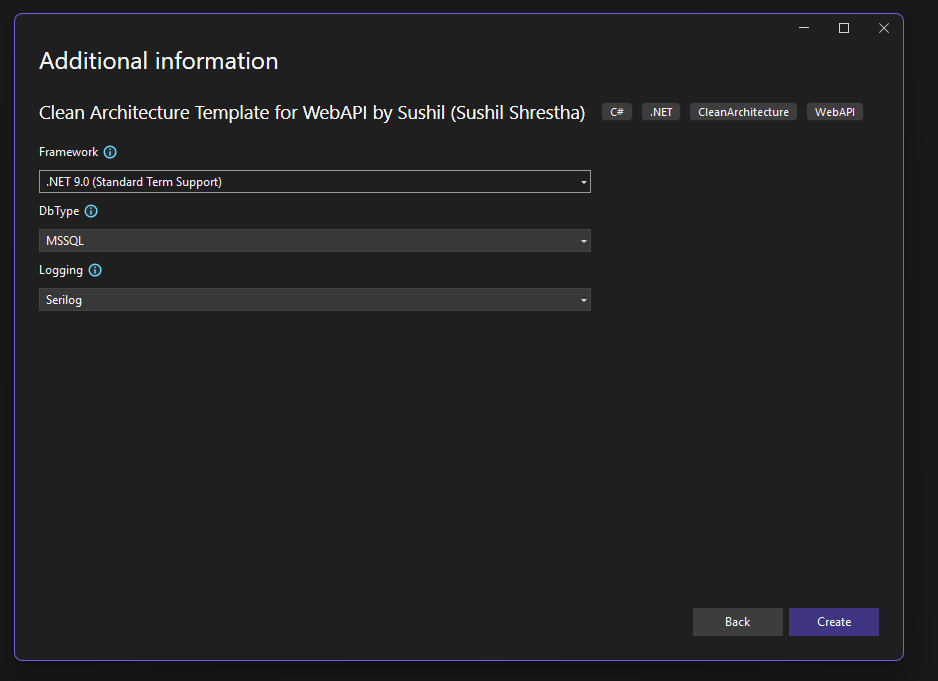
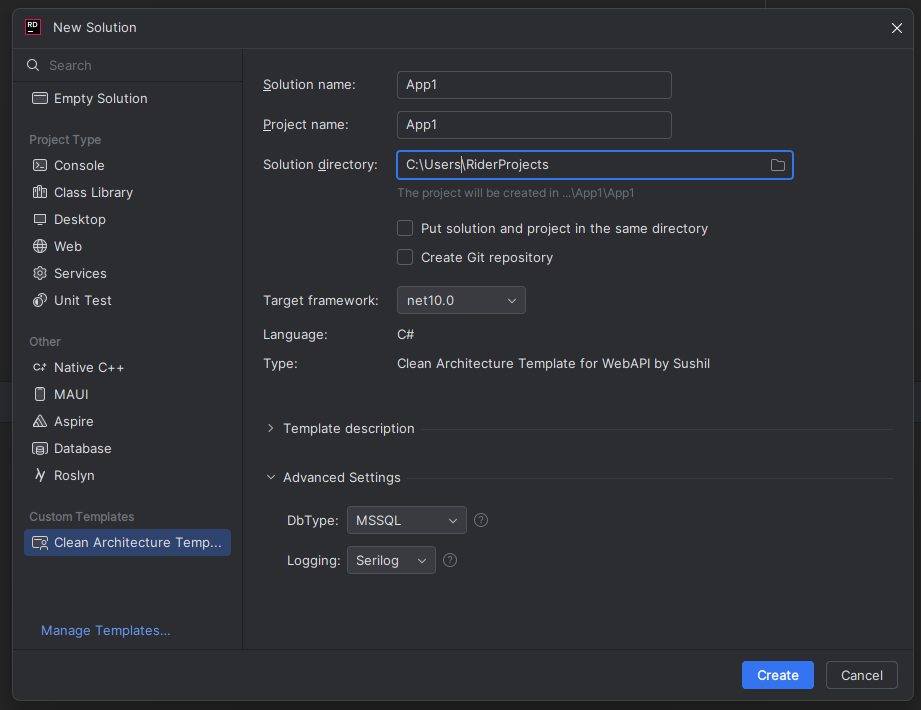
CleanArchSharp appears in the New Project dialog in:
Visual Studio
Open File → New → Project
Search for CleanArchSharp
Choose:
- CleanArchSharp Solution Template
- CleanArchSharp API Template
JetBrains Rider
Go to New Solution
Search for CleanArchSharp
Select your desired template and framework
Generated Structure (simplified)
MyProject/
 ├── src/
 │   ├── MyProject.Api
 │   ├── MyProject.Application
 │   ├── MyProject.Contracts
 │   ├── MyProject.Infrastructure
 │   └── MyProject.Persistence
 └── tests/
     └── MyProject.Tests
Quick start (run API + DB)
From the solution root:
dotnet restore
Then go to the API project:
cd src/MyProject.API
Apply database migrations (connection string comes from appsettings.json):
dotnet ef database update
Run the API:
dotnet run
Now you can:
- Open Swagger UI at
https://localhost:<port>/swagger
Tip: Run the seeding commands only after the database exists and the API can start successfully.
If you find this useless or wish to remove older versions
dotnet new uninstall cleanarchsharp
Seeding Commands
1. Seed roles and resources
This will seed:
- Three roles: SuperAdmin, Admin, User
- All resources
cd src/MyProject.API
dotnet run seed role
2. Create users manually
Create users with specific roles:
cd src/MyProject.API
dotnet run seed user <email> <password> <name> <role>
Available roles
SuperAdmin– Full system accessAdmin– Administrative accessUser– Regular user access
Examples
SuperAdmin
cd src/MyProject.API
dotnet run seed user superadmin@myproject.com SuperAdmin@123 "Super Administrator" SuperAdmin
Admin
cd src/MyProject.API
dotnet run seed user admin@myproject.com Admin@123 "Admin User" Admin
Regular user
cd src/MyProject.API
dotnet run seed user user@myproject.com User@123 "Regular User" User
Features (short)
- Architecture
- Clean Architecture solution structure
- Built-in dependency injection
- Custom lightweight mediator for commands, queries, and events
- Platform & data
- Multi-.NET version support
- Pluggable database providers (PostgreSQL, MSSQL, MySQL, etc.)
- API experience
- API versioning ready out of the box
- Swagger/OpenAPI UI at
/swagger - Standardized CRUD endpoints for regions, resources, roles, scopes, and users
- Auth & security
- JWT access tokens and refresh tokens
- Email confirmation and login with Gmail
- Global permission/authorization filter on endpoints
- Other
- Optional Serilog for structured logging
- Culture and localization support
- Seeder commands for roles, and users
-
.NETStandard 2.1
- No dependencies.
NuGet packages
This package is not used by any NuGet packages.
GitHub repositories
This package is not used by any popular GitHub repositories.