Rewdboy.Umbraco.EditLink
2.2.3
dotnet add package Rewdboy.Umbraco.EditLink --version 2.2.3
NuGet\Install-Package Rewdboy.Umbraco.EditLink -Version 2.2.3
<PackageReference Include="Rewdboy.Umbraco.EditLink" Version="2.2.3" />
<PackageVersion Include="Rewdboy.Umbraco.EditLink" Version="2.2.3" />
<PackageReference Include="Rewdboy.Umbraco.EditLink" />
paket add Rewdboy.Umbraco.EditLink --version 2.2.3
#r "nuget: Rewdboy.Umbraco.EditLink, 2.2.3"
#:package Rewdboy.Umbraco.EditLink@2.2.3
#addin nuget:?package=Rewdboy.Umbraco.EditLink&version=2.2.3
#tool nuget:?package=Rewdboy.Umbraco.EditLink&version=2.2.3
Umbraco Quick Edit Button
A lightweight, non-intrusive package for Umbraco 16+ that adds a floating Edit Page button on the frontend.
When a user is signed in to the Umbraco backoffice, the button links directly to the current document in edit mode.
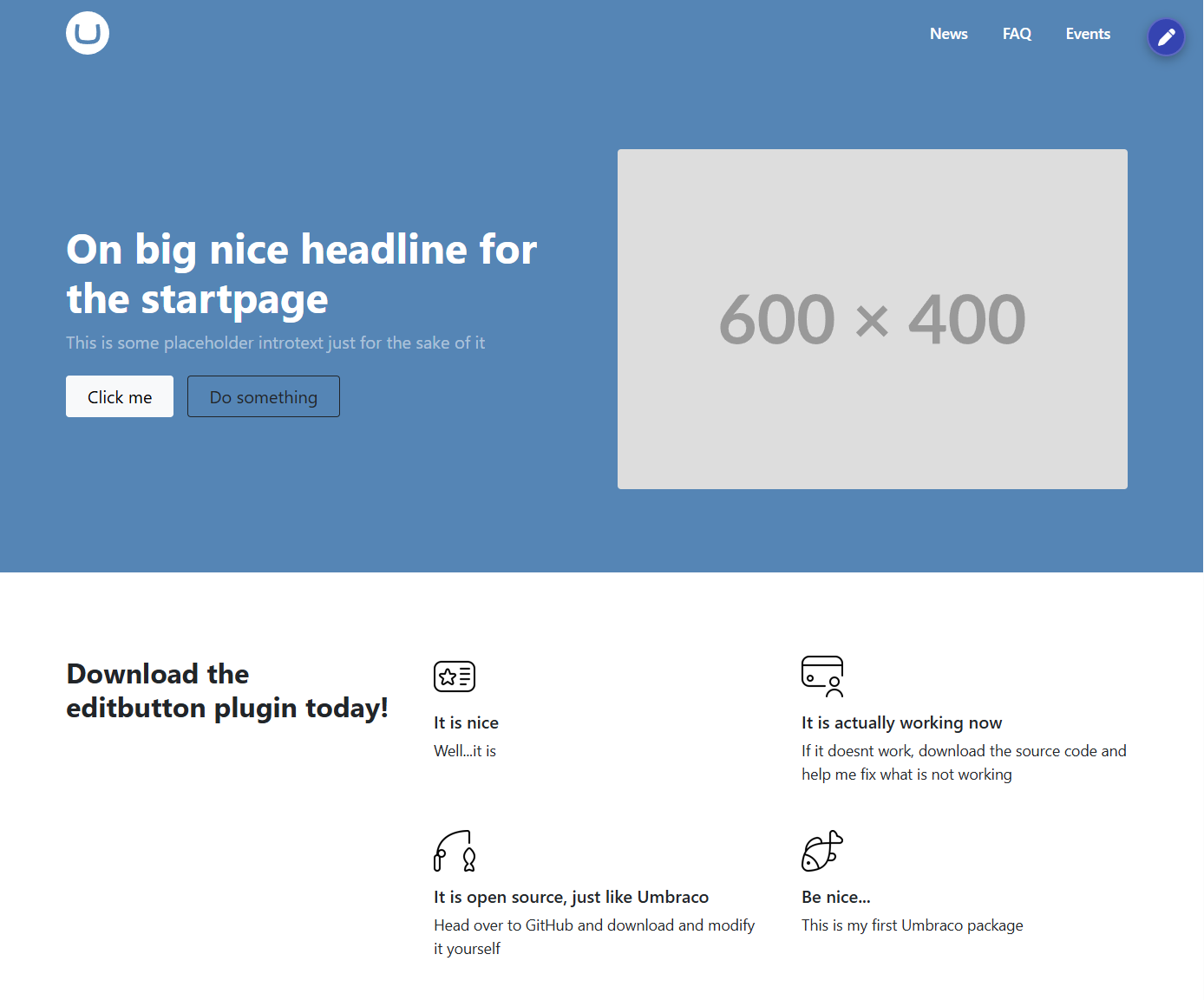
Available on NuGet and the Umbraco Marketplace.
Latest changes
- 2.2.3: Dynamic paths are now used for both the backoffice edit URL and default CSS URL (works with custom backoffice path and virtual directories /
PathBase). - 2.2.2: Improved accessibility (
aria-label, screen-reader text,:focus-visible) and async TagHelper auth flow.
See full release notes in CHANGELOG.md.
Features
- Visible only to authenticated backoffice users
- No client-side JavaScript
- Opens the current page directly in Umbraco edit mode
- Configurable button corner and offset
- Optional automatic CSS injection
Requirements
| Umbraco | .NET | Package target |
|---|---|---|
| 16.x | 9 | net9.0 |
| 17.x | 10 | net10.0 |
| 18.x | 10 | net10.0 |
This package does not support Umbraco 14/15.
Installation
Install via NuGet:
dotnet add package Rewdboy.Umbraco.EditLink
Register the TagHelper in ~/Views/_ViewImports.cshtml:
@addTagHelper *, Rewdboy.Umbraco.EditLink
Usage
Place the TagHelper in your layout (for example _Layout.cshtml):
<umbraco-edit-button model="Model" />
The model input supports:
IPublishedContentContentModel- custom models exposing a readable
Contentproperty of typeIPublishedContent
Attributes
corner:top-right(default),top-left,bottom-right,bottom-left(also supportstr,tl,br,bl)offset: optional pixel offset from the selected corner (negative values are clamped to0)inject-css:trueby default, set tofalseto disable automatic stylesheet injectioncss-url: optional custom stylesheet URLtitle: button title / aria-label text (default:Edit page)
Examples:
<umbraco-edit-button model="Model" corner="tl" offset="24" />
<umbraco-edit-button model="Model" inject-css="false" />
<umbraco-edit-button model="Model" css-url="/css/my-editbutton.css" />
How it works / Security
The package uses OpenIddict server events to keep a small, dedicated cookie (REWDBOY_EDITLINK) in sync:
- On token generation, the package signs in a minimal principal on its own cookie scheme.
- On token revocation, it signs out that cookie.
- The TagHelper calls
AuthenticateAsyncon that scheme before rendering. - The button is never rendered in preview mode.
The edit URL still points to Umbraco backoffice and therefore requires normal Umbraco authorization.
Custom styling
Default stylesheet path (when inject-css="true" and css-url is not set):
/_content/Rewdboy.Umbraco.EditLink/css/editbutton.css
This URL is generated as an absolute URL via Umbraco hosting APIs, so it works with custom app PathBase.
Available CSS classes:
.rewdboy-editlink-container.edit-page-btn.rewdboy-corner-top-right.rewdboy-corner-top-left.rewdboy-corner-bottom-right.rewdboy-corner-bottom-left.rewdboy-visually-hidden
Troubleshooting
- Button not visible: verify
@addTagHelper *, Rewdboy.Umbraco.EditLinkexists in_ViewImports.cshtml. - Logged in but no button: sign out and sign back in to backoffice so the edit-link cookie is refreshed.
- Preview mode: the button is intentionally hidden.
- Custom backoffice path / virtual directory: supported in 2.2.3+.
License
MIT
| Product | Versions Compatible and additional computed target framework versions. |
|---|---|
| .NET | net9.0 is compatible. net9.0-android was computed. net9.0-browser was computed. net9.0-ios was computed. net9.0-maccatalyst was computed. net9.0-macos was computed. net9.0-tvos was computed. net9.0-windows was computed. net10.0 is compatible. net10.0-android was computed. net10.0-browser was computed. net10.0-ios was computed. net10.0-maccatalyst was computed. net10.0-macos was computed. net10.0-tvos was computed. net10.0-windows was computed. |
-
net10.0
- MailKit (>= 4.17.0)
- MessagePack (>= 3.1.8)
- Umbraco.Cms.Web.Website (>= 17.0.0 && < 19.0.0)
-
net9.0
- MailKit (>= 4.17.0)
- MessagePack (>= 3.1.8)
- Umbraco.Cms.Web.Website (>= 16.0.0 && < 17.0.0)
NuGet packages
This package is not used by any NuGet packages.
GitHub repositories
This package is not used by any popular GitHub repositories.