Scrubkit 1.3.0
Prefix ReservedSee the version list below for details.
dotnet add package Scrubkit --version 1.3.0
NuGet\Install-Package Scrubkit -Version 1.3.0
<PackageReference Include="Scrubkit" Version="1.3.0" />
<PackageVersion Include="Scrubkit" Version="1.3.0" />
<PackageReference Include="Scrubkit" />
paket add Scrubkit --version 1.3.0
#r "nuget: Scrubkit, 1.3.0"
#:package Scrubkit@1.3.0
#addin nuget:?package=Scrubkit&version=1.3.0
#tool nuget:?package=Scrubkit&version=1.3.0
Scrubkit




🌐 Website · 📦 NuGet · 📝 Changelog
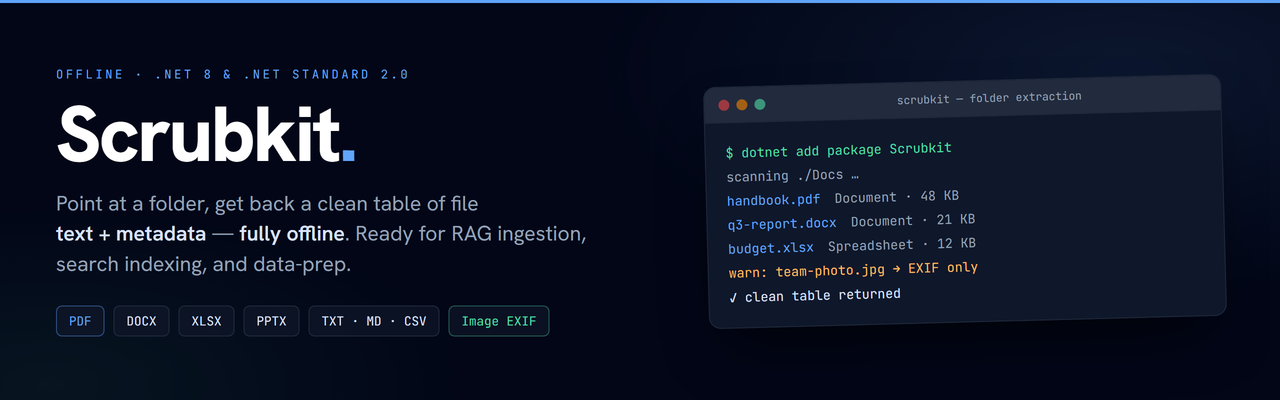
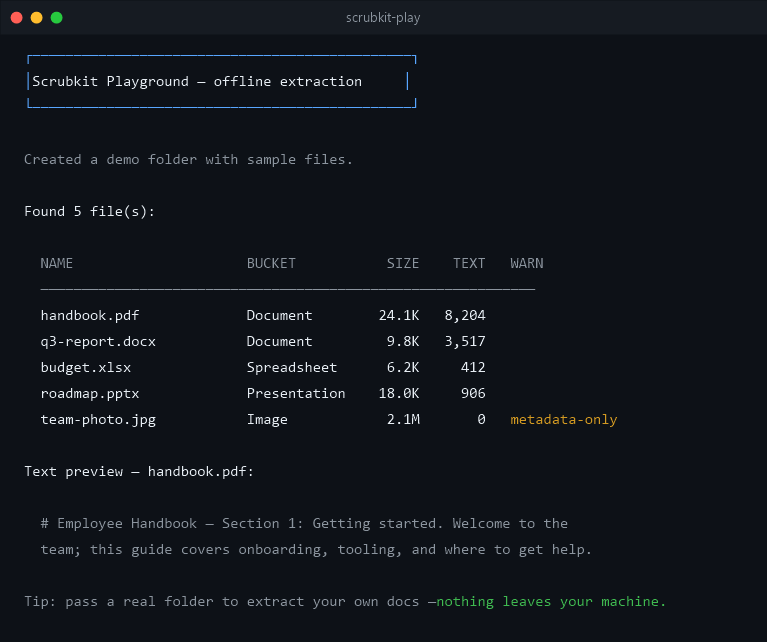
Point it at a folder — get back a clean table of file text + metadata, fully offline.
Scrubkit walks a directory and pulls text and metadata out of common file types, returning one row per file. Everything runs locally — no network calls, no telemetry — so it's a natural first step for RAG ingestion, search indexing, and on-device data prep.
Highlights
- Offline — no network calls, no telemetry.
- Small, fast core — PDF, Office, text, and image metadata out of the box.
- Pluggable — add or override formats with
IFileExtractor. - Scales — stream results and process files in parallel for large trees.
- Multi-target —
net8.0andnetstandard2.0.
Install
dotnet add package Scrubkit
Quick start
using Scrubkit;

var scrubber = new FolderScrubber(new ReadOptions { Recursion = Recursion.AllNested });

IReadOnlyList<FileRecord> table = await scrubber.ReadAsync(@"C:\Docs");

foreach (var r in table)
    Console.WriteLine($"{r.Name} — {r.TypeBucket} — {r.Text.Length} chars");
Each FileRecord gives you the file's Text, Metadata, TypeBucket, SizeBytes,
Modified, and any Warnings.
Supported formats
| Category | Extensions |
|---|---|
| Documents | PDF, DOCX |
| Spreadsheets | XLSX, CSV |
| Presentations | PPTX |
| Text | TXT, MD, LOG, JSON, XML, HTML, HTM, RTF |
| Images | JPG, PNG, TIFF, HEIC, WebP, GIF, BMP (EXIF only) |
Text-family formats are read as raw text — markup in RTF/HTML/XML is not stripped.
Images yield EXIF metadata only (make / model / software) — no pixels, no OCR.
Unknown types return a metadata-only row. Extraction never throws to the caller —
per-file problems land in FileRecord.Warnings.
Large folders: stream & parallelize
ReadAsync buffers the whole table. For big trees, stream records as they're produced
and process files concurrently:
var options = new ReadOptions { MaxDegreeOfParallelism = 4 };

await foreach (var r in new FolderScrubber(options).ReadStreamAsync(@"C:\Docs"))
    Index(r);
Output order is preserved. Above a degree of 1, custom extractors should be thread-safe (the built-ins are).
Recipe: prepare a folder for RAG
Stream a document folder straight into a vector store — text + metadata ready to embed, rows with no text skipped:
var scrubber = new FolderScrubber(new ReadOptions
{
    MaxTextLength = 8_000,   // keep chunks index-friendly
});

await foreach (var doc in scrubber.ReadStreamAsync(@"C:\Docs"))
{
    if (doc.Text.Length == 0) continue;   // skip metadata-only rows

    await index.UpsertAsync(
        id: doc.Path,
        text: doc.Text,                   // extracted text, ready to embed
        metadata: doc.Metadata);
}
Extend it
Add a format by implementing IFileExtractor — it's tried before the built-ins, so you
can also override one:
public sealed class MyExtractor : IFileExtractor
{
    public bool CanHandle(string ext) => ext == ".xyz";
    public ExtractedContent Extract(string path) => new(metadata, text);
}

options.Extractors.Add(new MyExtractor());
Extracted text is returned exactly as read. To transform it — redaction, masking,
normalization — supply an IRedactor via ReadOptions.Redactor; it's entirely opt-in and
your choice.
Shipping an add-on as its own package? Reference Scrubkit.Abstractions (contracts
only) to stay lightweight.
100% offline — no network calls, no telemetry.
| Product | Versions Compatible and additional computed target framework versions. |
|---|---|
| .NET | net5.0 was computed. net5.0-windows was computed. net6.0 was computed. net6.0-android was computed. net6.0-ios was computed. net6.0-maccatalyst was computed. net6.0-macos was computed. net6.0-tvos was computed. net6.0-windows was computed. net7.0 was computed. net7.0-android was computed. net7.0-ios was computed. net7.0-maccatalyst was computed. net7.0-macos was computed. net7.0-tvos was computed. net7.0-windows was computed. net8.0 is compatible. net8.0-android was computed. net8.0-browser was computed. net8.0-ios was computed. net8.0-maccatalyst was computed. net8.0-macos was computed. net8.0-tvos was computed. net8.0-windows was computed. net9.0 was computed. net9.0-android was computed. net9.0-browser was computed. net9.0-ios was computed. net9.0-maccatalyst was computed. net9.0-macos was computed. net9.0-tvos was computed. net9.0-windows was computed. net10.0 was computed. net10.0-android was computed. net10.0-browser was computed. net10.0-ios was computed. net10.0-maccatalyst was computed. net10.0-macos was computed. net10.0-tvos was computed. net10.0-windows was computed. |
| .NET Core | netcoreapp2.0 was computed. netcoreapp2.1 was computed. netcoreapp2.2 was computed. netcoreapp3.0 was computed. netcoreapp3.1 was computed. |
| .NET Standard | netstandard2.0 is compatible. netstandard2.1 was computed. |
| .NET Framework | net461 was computed. net462 was computed. net463 was computed. net47 was computed. net471 was computed. net472 was computed. net48 was computed. net481 was computed. |
| MonoAndroid | monoandroid was computed. |
| MonoMac | monomac was computed. |
| MonoTouch | monotouch was computed. |
| Tizen | tizen40 was computed. tizen60 was computed. |
| Xamarin.iOS | xamarinios was computed. |
| Xamarin.Mac | xamarinmac was computed. |
| Xamarin.TVOS | xamarintvos was computed. |
| Xamarin.WatchOS | xamarinwatchos was computed. |
-
.NETStandard 2.0
- MetadataExtractor (>= 2.9.3)
- Microsoft.Bcl.AsyncInterfaces (>= 8.0.0)
- PdfPig (>= 0.1.15)
- Scrubkit.Abstractions (>= 1.3.0)
-
net8.0
- MetadataExtractor (>= 2.9.3)
- PdfPig (>= 0.1.15)
- Scrubkit.Abstractions (>= 1.3.0)
NuGet packages (2)
Showing the top 2 NuGet packages that depend on Scrubkit:
| Package | Downloads |
|---|---|
|
Scrubkit.Extensions.DependencyInjection
Microsoft.Extensions.DependencyInjection integration for Scrubkit. Call services.AddScrubkit(...) to register a configured FolderScrubber for constructor injection in ASP.NET Core, worker services, and other generic hosts. Configure recursion, limits, add-on extractors, and an optional redactor via the ReadOptions hook. |
|
|
Scrubkit.All
Convenience meta-package that references the entire Scrubkit family: the core (PDF/Office/text/image EXIF + CSV/JSON output), the extractor add-ons (.eml, OpenDocument, .epub), the AddScrubkit dependency-injection integration, and — on net8.0 — Parquet output. Install this to read everything out of the box; install the individual packages instead if you want a lean footprint. No code of its own. |
GitHub repositories
This package is not used by any popular GitHub repositories.
1.3.0 — Adds Scrubkit.Epub (.epub e-books) and Scrubkit.Extensions.DependencyInjection (services.AddScrubkit(...) for ASP.NET Core / worker hosts), plus a BenchmarkDotNet throughput harness (~12,000 files/sec, 4-way). Core: .epub files now bucket as Document. Full changelog: https://github.com/jjopensoftworks-blip/Scrubkit/blob/main/CHANGELOG.md