kojamori.SFS.Templates.CodeMod
1.4.0
dotnet new install kojamori.SFS.Templates.CodeMod@1.4.0
SFS Code Mod Template
A .NET Framework 4.8 C# project template for creating code (DLL) mods for the video game Spaceflight Simulator (SFS).
Some features include:
- Mod information customisation, e.g. ID, display name, author, etc.
- Automatic resolution of SFS installation path + references to game DLLs
- supported for macOS, Linux, and Windows
- Automatic mod dll/pdb copying to SFS mods folder
- Harmony boilerplate
- Git repo initialisation + .gitignore
- Open source license selection
- and more
See here for a full list of features and options of this template, including CLI arguments.
Requirements
- .NET SDK 6.0 and newer
- .NET Framework 4.8 (pre-installed on Windows 10 and 11 operating systems)
- SFS installed via Steam
Installation
.NET 7.0 and newer (most common)
Run the following command to install the template from NuGet:
dotnet new install kojamori.SFS.Templates.CodeMod
.NET 6.0 (older syntax)
dotnet new --install kojamori.SFS.Templates.CodeMod
Updating
Run the following command to update the template from NuGet:
dotnet new update
Usage
IDE Usage
Visual Studio
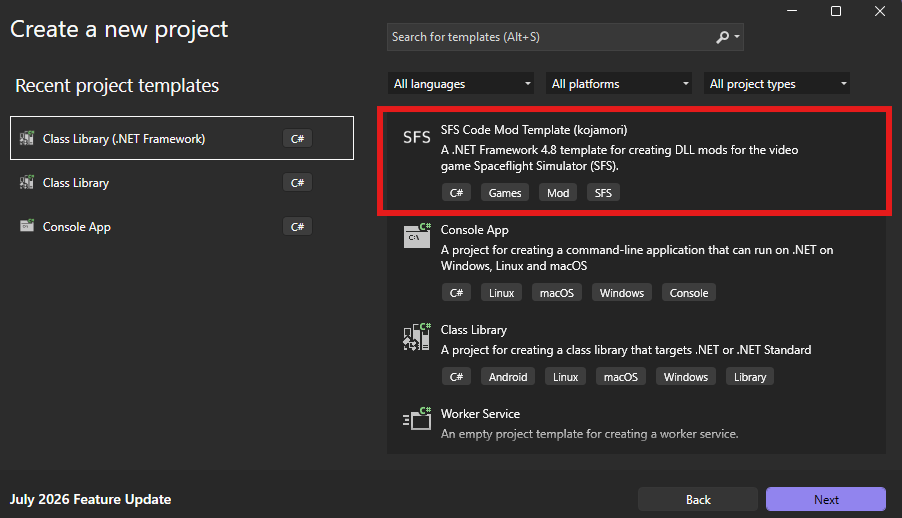
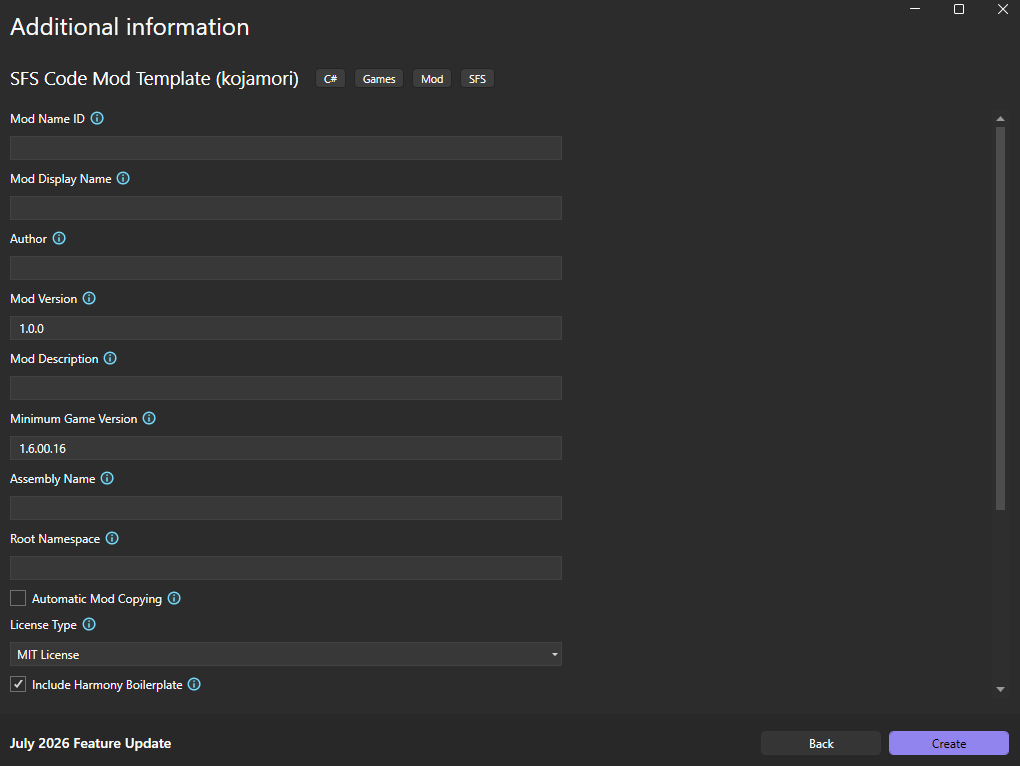
When using Visual Studio, you can use the 'Create a new project' dialog and search for 'SFS Code Mod Template' to create a new project using the template.
JetBrains Rider
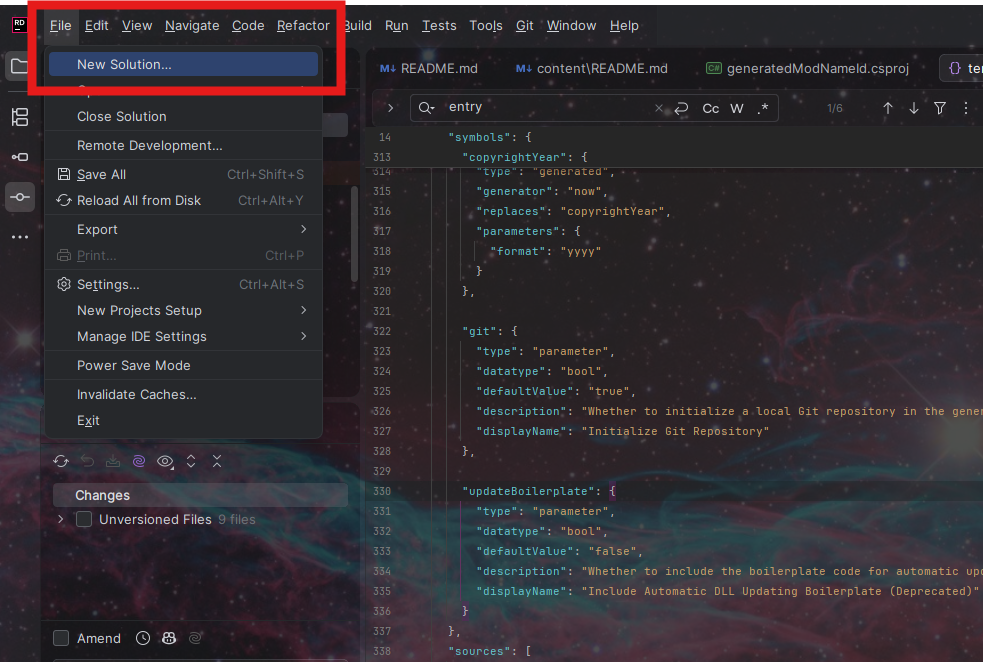
When using JetBrains Rider, you can use the 'File → New Solution' dialog and select 'SFS Code Mod Template' on the bottom-left side below 'Custom Templates' to create a new project using the template.
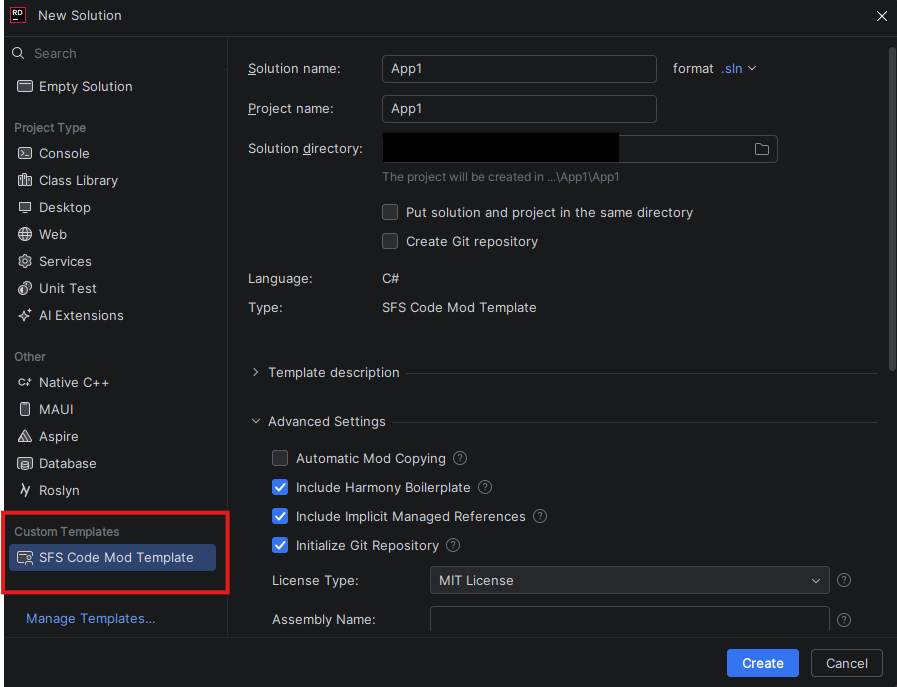
You should not enable the "Create a Git Repository" option that JetBrains provides, and instead use the "Initialize Git Repository" option that the template provides to avoid the template-provided .gitignore file from being overwritten.
Visual Studio Code
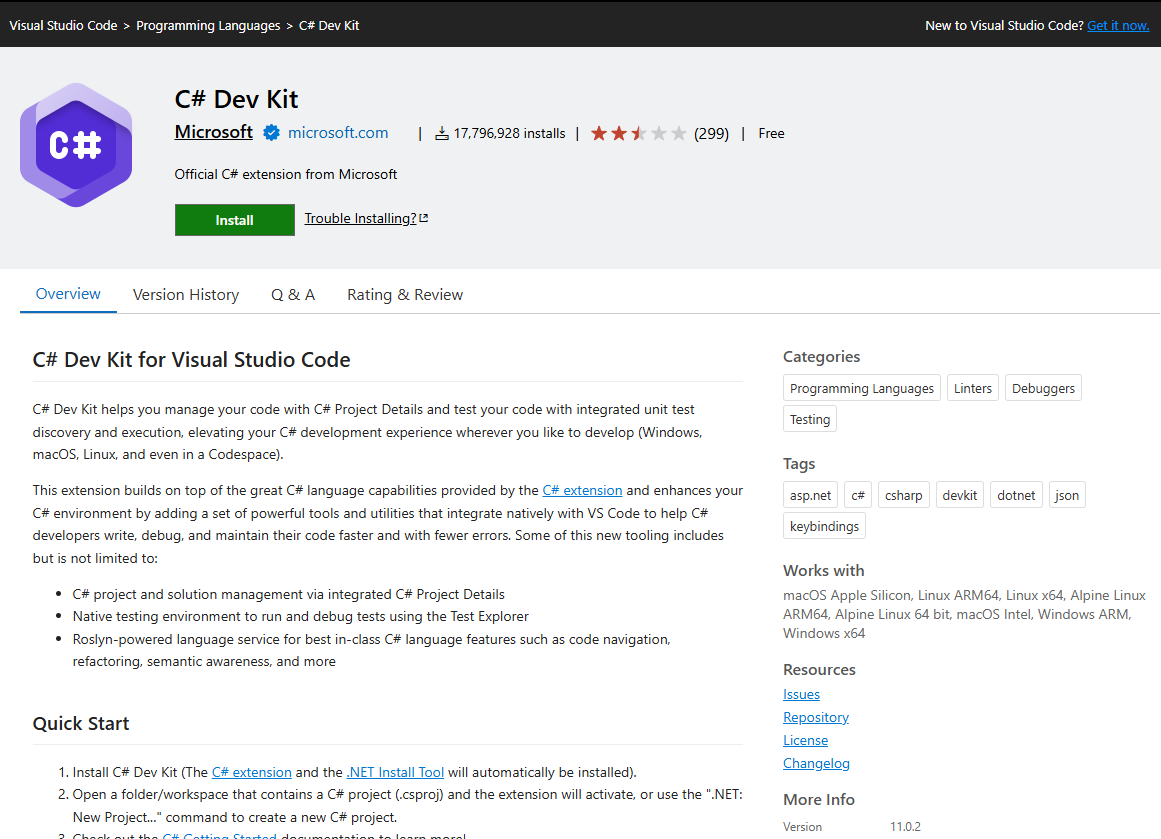
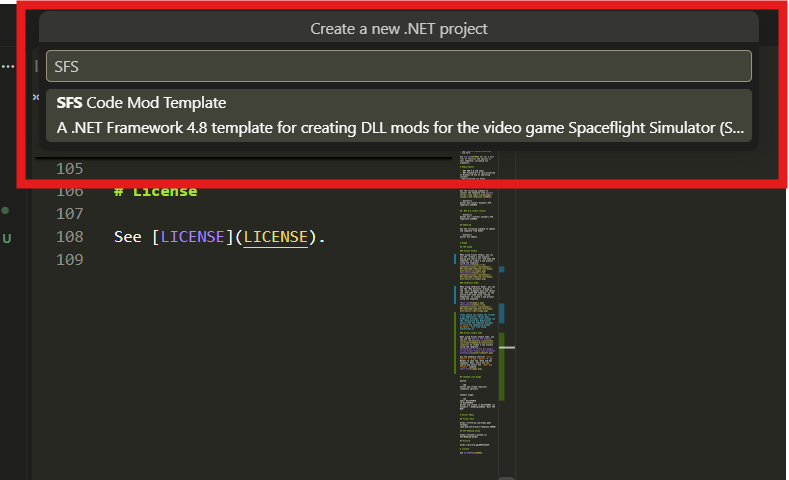
When using Visual Studio Code, you can use the C# Dev Kit Plugin to create a new project using the template.
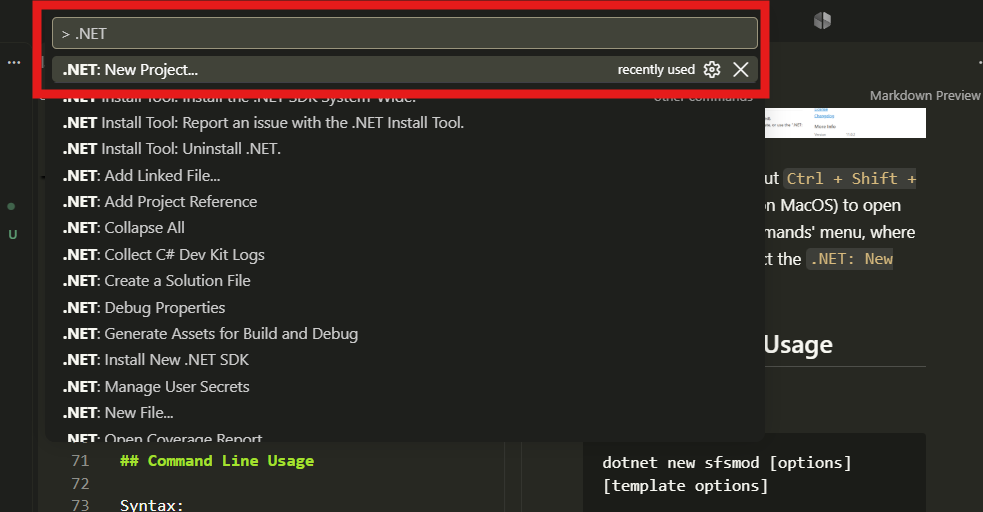
Use the keyboard shortcut Ctrl + Shift + P (Cmd + Shift + P on macOS) in Visual Studio Code to open the 'Show and Run Commands' menu, where you can search and select the .NET: New Project command.
Command Line Usage
Syntax:
dotnet new sfsmod [options] [template options]
Example usage:
mkdir BestSFSMod
cd BestSFSMod
dotnet new sfsmod -n BestSFSMod -au kojamori --modDisplayName "Best SFS Mod"
Template Options & Features
| Option | CLI Flag(s) | Default | Description |
|---|---|---|---|
| Project Name | -n, --name |
"" |
Name of the project and mod. |
| Mod Name ID | -m, --modNameId |
Falls back to --name |
Unique identifier for the mod (Mod.ModNameID). Should not contain spaces or special characters. |
| Mod Display Name | -mo, --modDisplayName |
Falls back to --modNameId |
Display name shown to players in the in-game mod list. |
| Author | -au, --param:author |
"" |
Author of the mod. Used in metadata and displayed in-game. |
| Mod Version | -p:m, --modVersion |
1.0.0 |
Version string for the mod. Used in metadata and displayed in-game. |
| Mod Description | -p:mo, --modDescription |
"" |
Brief description displayed in the in-game mod list. |
| Minimum Game Version | -mi, --minimumGameVersion |
1.6.00.16 |
Minimum required game version (informational only, doesn't enforce compatibility). |
| Auto-Copy Mod DLL | -p:a, --autoCopyMod |
false |
Automatically copy built DLL to SFS mods folder after build. Overwrites existing files. |
| Auto-Copy PDB | -p:au, --autoCopyPdb |
false |
Automatically copy PDB file alongside DLL for debugging. |
| License Type | -li, --licenseType |
MIT |
Open-source license. Options: MIT, LGPL (v3), GPL (v3), AGPL (v3), apache2.0, mozilla2.0, unlicense, none. |
| Harmony Boilerplate | -ha, --harmony |
true |
Include Harmony patching boilerplate with PatchAll() in Early_Load(). |
| Implicit Managed References | -im, --implicitManagedReferences |
true |
Auto-reference all DLLs in Managed folder. When disabled, only references essential assemblies (Assembly-CSharp.dll, UnityEngine.dll, UnityEngine.CoreModule.dll, 0Harmony.dll). |
| File-Scoped Namespace | -f, --fileScopedNamespace |
false |
Use C# 10+ file-scoped namespace syntax (namespace X;) instead of block syntax. |
| Entrypoint Class Name | -e, --entrypointClassName |
Main |
Name of the main mod class. |
| Assembly Name | -as, --assemblyName |
Falls back to --modNameId |
Assembly name for the generated project. |
| Root Namespace | -r, --rootNamespace |
Falls back to --modNameId |
Root namespace of the assembly. |
| README Description | -re, --readMeDescription |
Falls back to --modDescription |
Description used in the generated README. |
| Include Socials | -s, --socials |
true |
Include social media section in README. |
| Discord Link | -di, --discordLink |
"" |
Discord invite link displayed in README socials section. |
| Credit SMG | -c, --creditSmg |
false |
Include link to SFS Modding Guide in README. |
| Copyright Holder | -c, --copyrightHolder |
Falls back to --param:author |
Copyright holder for the mod. |
| Initialize Git | -g, --git |
true |
Initialize a local Git repository in the generated project folder. |
| Update Boilerplate (deprecated)️ | -up, --updateBoilerplate |
false |
Include UITools auto-update boilerplate by implementing IUpdatable. |
Social Media
Forums Post
https://sfsforum.com/index.php?threads/code-mod-net-project-template.20090/
SFS Modding Guide
https://kojamori.github.io/SFS-Modding-Guide/
Discord
License
See LICENSE.
-
.NETFramework 4.8
- No dependencies.
NuGet packages
This package is not used by any NuGet packages.
GitHub repositories
This package is not used by any popular GitHub repositories.
| Version | Downloads | Last Updated |
|---|---|---|
| 1.4.0 | 113 | 9/19/2026 |
| 1.3.0 | 183 | 8/13/2026 |
| 1.2.15 | 171 | 8/9/2026 |
| 1.2.14 | 171 | 8/5/2026 |
| 1.2.13 | 168 | 8/5/2026 |
| 1.2.12 | 165 | 8/5/2026 |
| 1.2.11 | 169 | 8/5/2026 |
| 1.2.10 | 179 | 8/5/2026 |
| 1.2.9 | 171 | 8/4/2026 |
| 1.2.8 | 179 | 8/4/2026 |
| 1.2.7 | 187 | 8/2/2026 |
| 1.2.6 | 179 | 8/2/2026 |
| 1.2.5 | 173 | 8/2/2026 |
| 1.2.4 | 168 | 8/2/2026 |
| 1.2.3 | 185 | 8/2/2026 |
| 1.2.1 | 188 | 8/1/2026 |