uTPro.Feature.FileManager
2.0.0
dotnet add package uTPro.Feature.FileManager --version 2.0.0
NuGet\Install-Package uTPro.Feature.FileManager -Version 2.0.0
<PackageReference Include="uTPro.Feature.FileManager" Version="2.0.0" />
<PackageVersion Include="uTPro.Feature.FileManager" Version="2.0.0" />
<PackageReference Include="uTPro.Feature.FileManager" />
paket add uTPro.Feature.FileManager --version 2.0.0
#r "nuget: uTPro.Feature.FileManager, 2.0.0"
#:package uTPro.Feature.FileManager@2.0.0
#addin nuget:?package=uTPro.Feature.FileManager&version=2.0.0
#tool nuget:?package=uTPro.Feature.FileManager&version=2.0.0
uTPro.Feature.FileManager
A powerful file management dashboard for Umbraco 16+ backoffice. Browse, upload, download, edit, preview, rename, and delete server files — all from within the Umbraco backoffice.



Installation
dotnet add package uTPro.Feature.FileManager
No configuration needed — auto-registers via Umbraco IComposer. After installation, navigate to Settings → File Manager in the backoffice.
Features
File Browsing
- Windows Explorer-style navigation with back, reload, and breadcrumb path bar
- Paginated file listing (100 items per page) with "Load more" for large directories
- Real-time search with debounce filtering
- URL state persistence — reload the page and return to the same folder/file
- Umbraco native icons for file types
File Operations
- Upload files via button or drag & drop
- Download files directly from the file list or file view
- Create new folders and empty files
- Rename files and folders (with live reload in file view)
- Delete files and folders (single or bulk selection)
- Import file via URL — fetch a remote file and save it to the current folder
- Extract ZIP — select
.zipfiles and extract them in place
Code Editor
- Built-in Monaco Editor (via Umbraco's
umb-code-editor) with syntax highlighting - Supports: JavaScript, TypeScript, JSON, HTML, CSS, SCSS, Razor, C#, XML, YAML, Markdown, SQL, and more
- Unsaved changes detection with browser close/navigate warning
- Ctrl+S keyboard shortcut to save
Media Preview
- Inline preview for images (JPG, PNG, GIF, SVG, WebP, BMP, ICO)
- Video player for MP4, WebM, OGG
- Audio player for MP3, WAV, OGG
- PDF viewer via embedded iframe
- Correct MIME types for inline rendering
Security & Permissions
- Settings section access required to view the dashboard
- Admin — full access: browse entire server root (ContentRootPath), create, edit, rename, delete, upload, extract
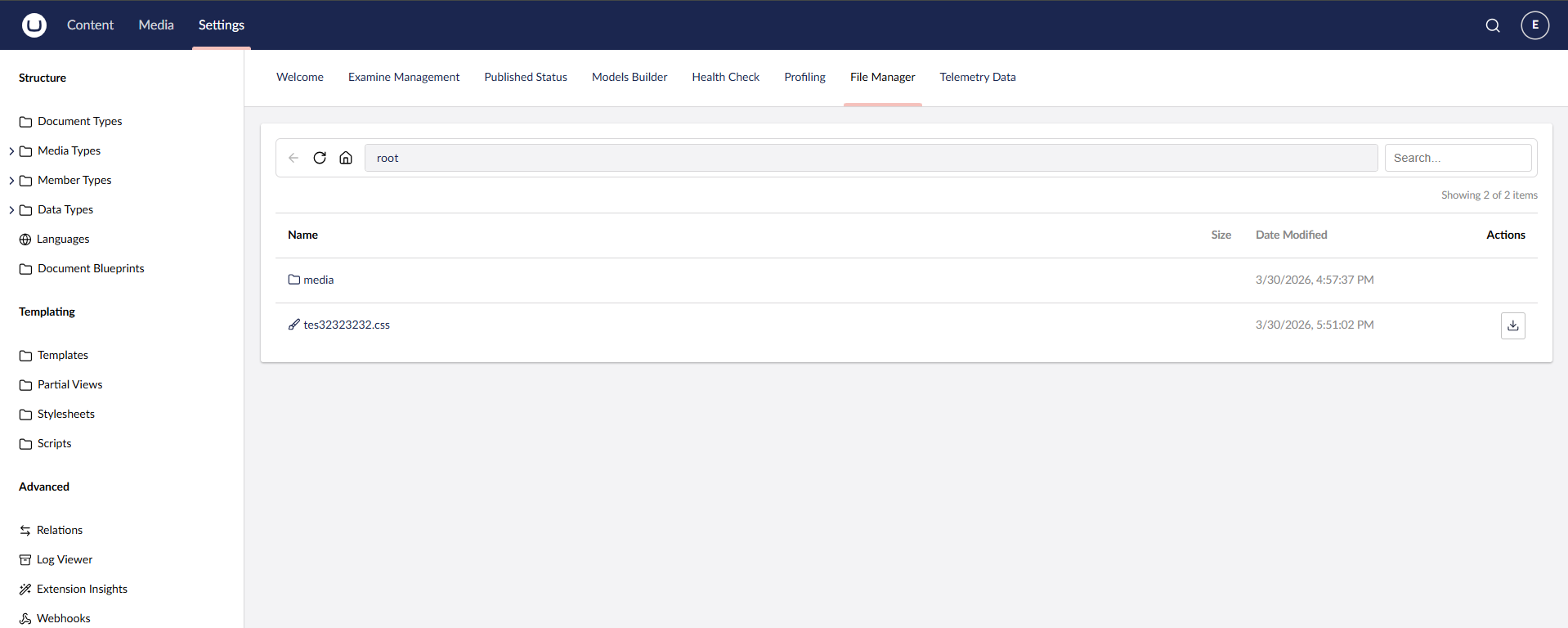
- Settings (non-admin) — browse
wwwroot/tree only (view folder structure, check if files exist — no file actions) - Settings + Sensitive Data — browse
wwwroot/+ view/edit/download file content - Write operations (create, rename, delete, upload, extract ZIP, import URL) — Admin only
- Non-admin users are jailed to
wwwroot/— cannot accessappsettings.json,web.config, or any files outsidewwwroot - Protected files:
web.config,appsettings.json,appsettings.development.jsoncannot be modified or deleted - Path traversal protection on all endpoints
UI
- Windows Explorer-style navigation bar (back, reload, home, breadcrumb path bar, search)
- Sticky toolbar — the navigation bar stays pinned to the top while scrolling long file lists, flush with the section header on an opaque surface
- Workspace footer actions — primary actions live in the Umbraco workspace footer for a clean, uncluttered toolbar:
- Browsing:
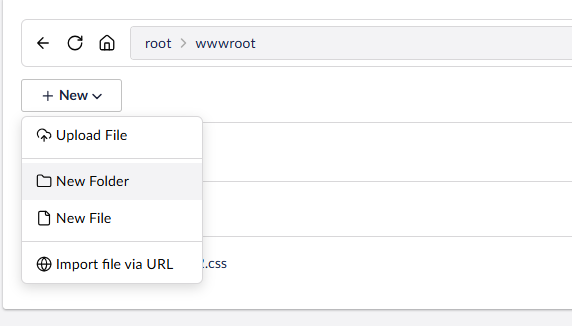
New ▾menu (Upload, New Folder, New File, Import via URL), bulkDelete,Extract Zip, and a live item counter - File open:
Save,Actions ▾(Download, Rename, Delete), anUnsavedbadge, plus file size and type
- Browsing:
- Footer actions respect the current user's role — non-admin users never see write actions
- Multi-select with checkbox for bulk delete and zip extract
- Responsive layout with Umbraco UI Library (UUI) components
Compatibility
| Umbraco | .NET | Package |
|---|---|---|
| 16.x | 9.0 | 1.x |
| 16.x | 9.0 | 2.x |
| 17.x | 10.0 | 2.x |
| 18.x | 10.0 | 2.x |
Screenshots
uTPro.Feature.FileManager - v2.0.0
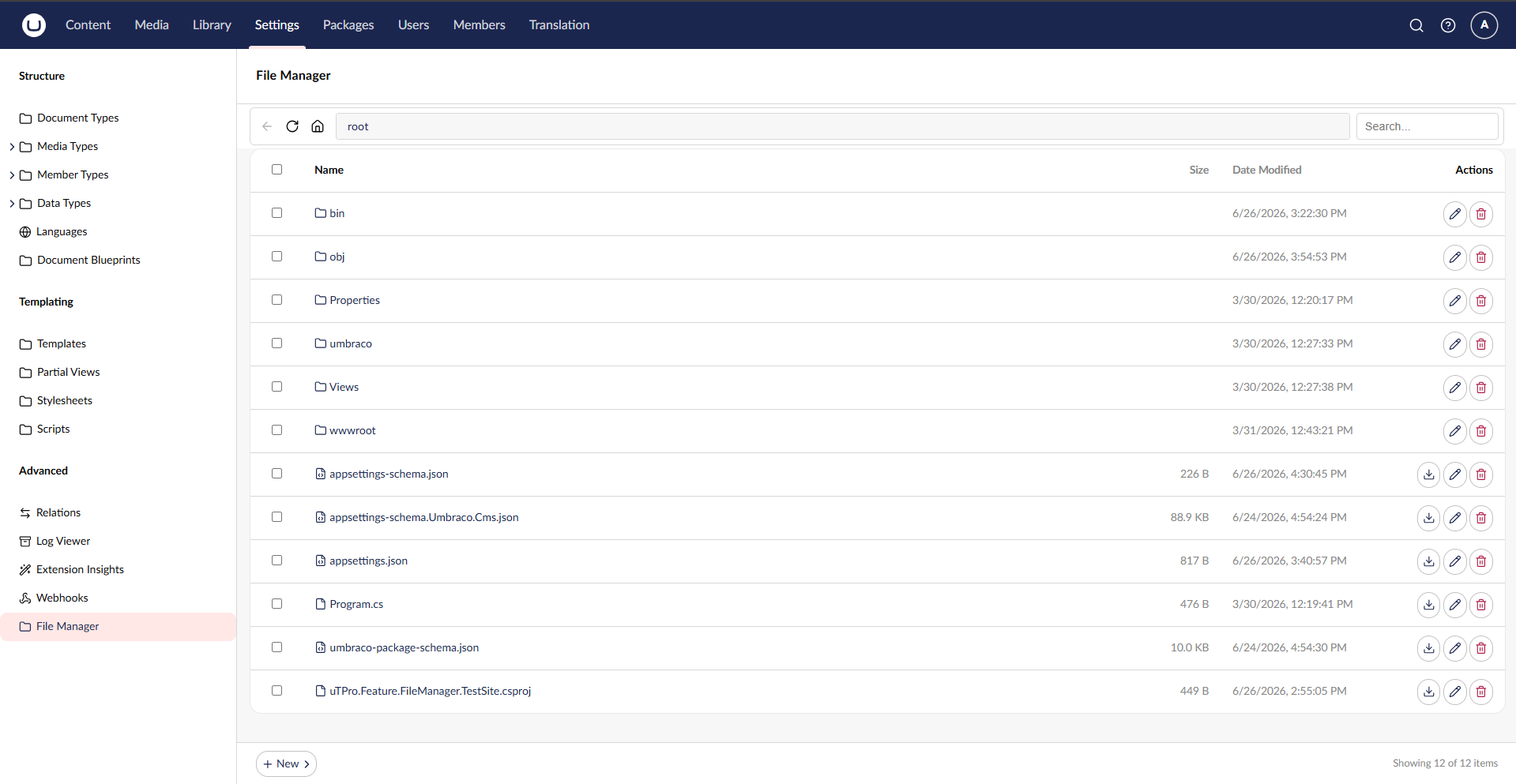
Admin view — full access to browse, edit, upload, and manage all server files
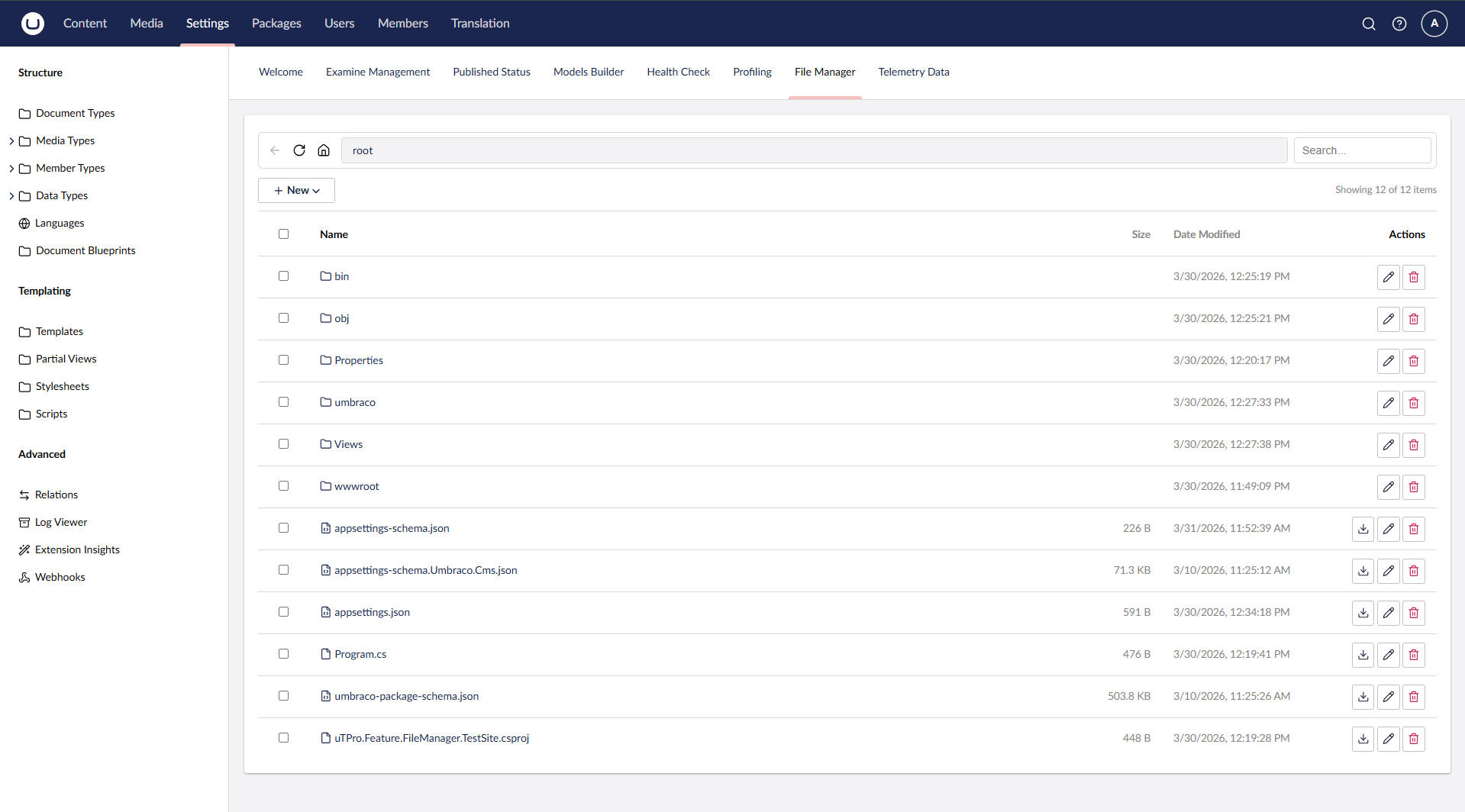
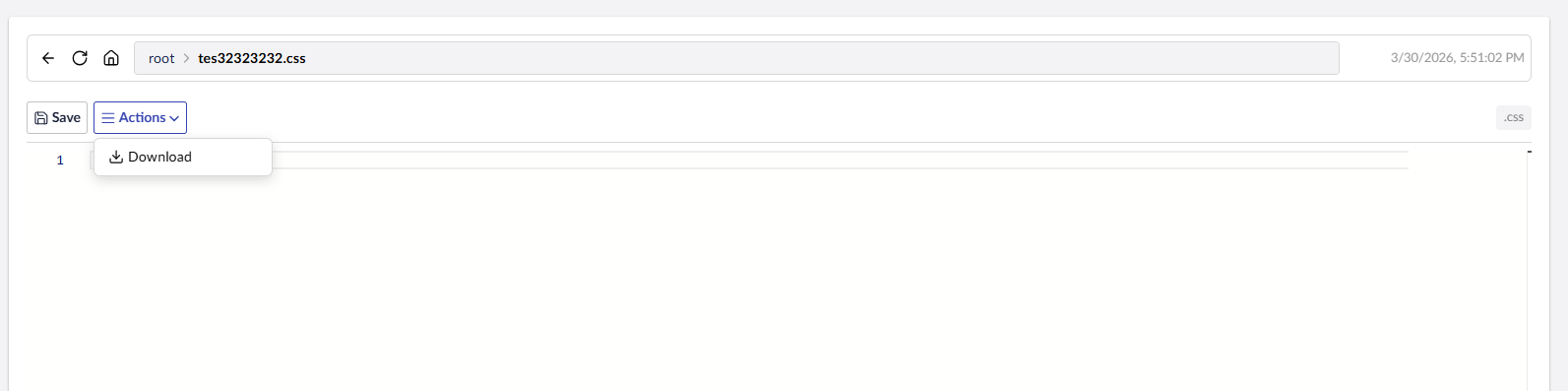
Code editor with syntax highlighting (Monaco) and file actions menu
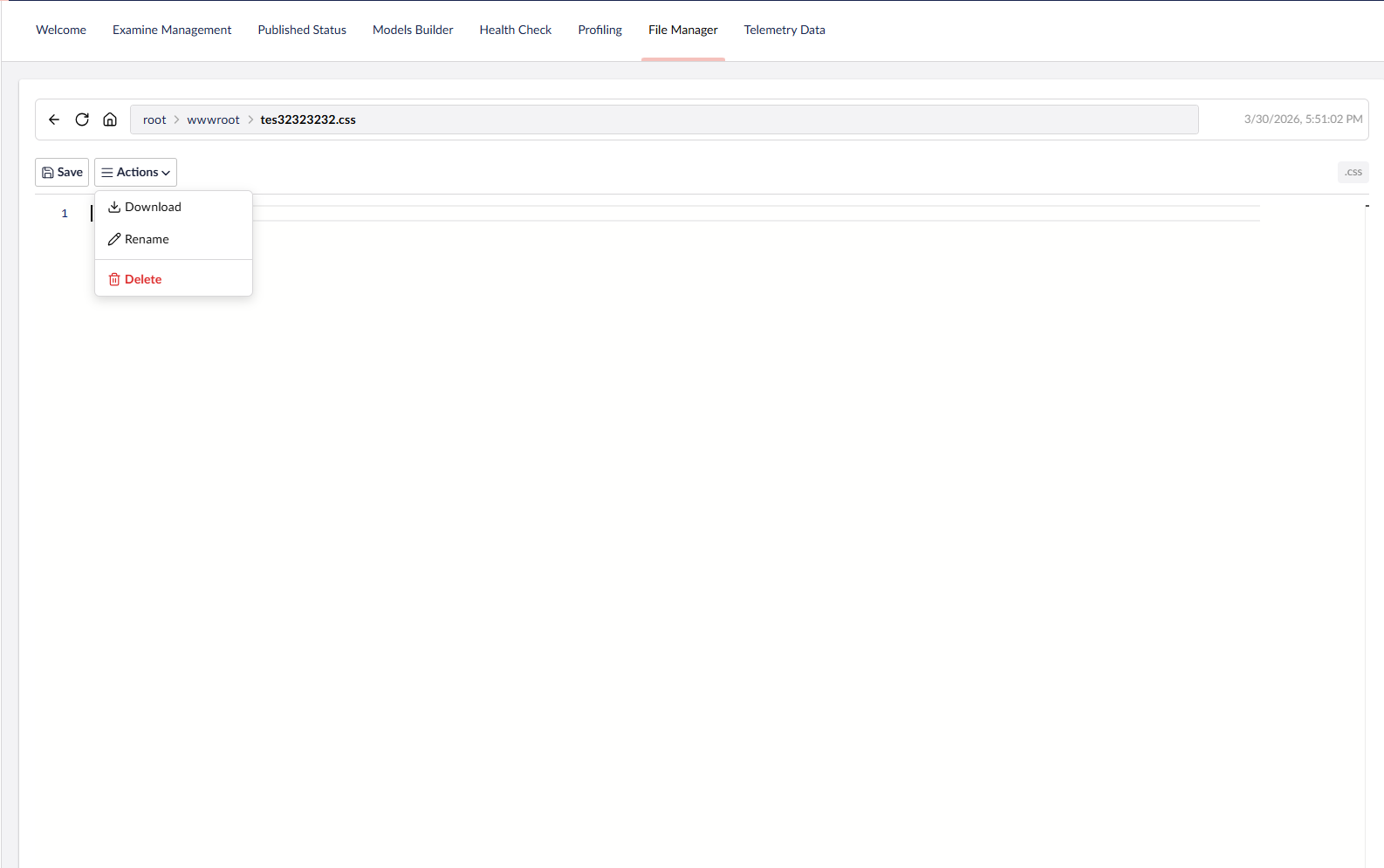
Select and extract ZIP files directly in the backoffice
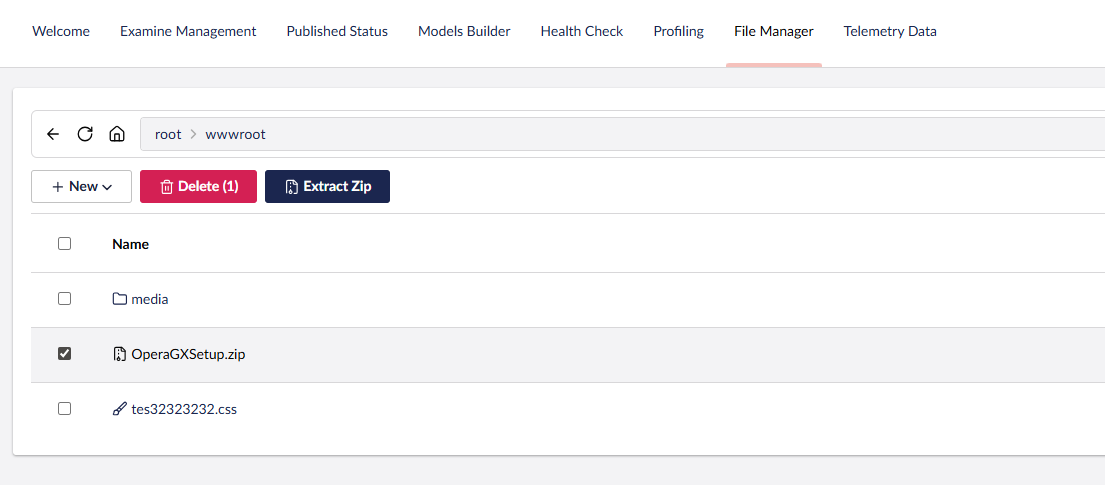
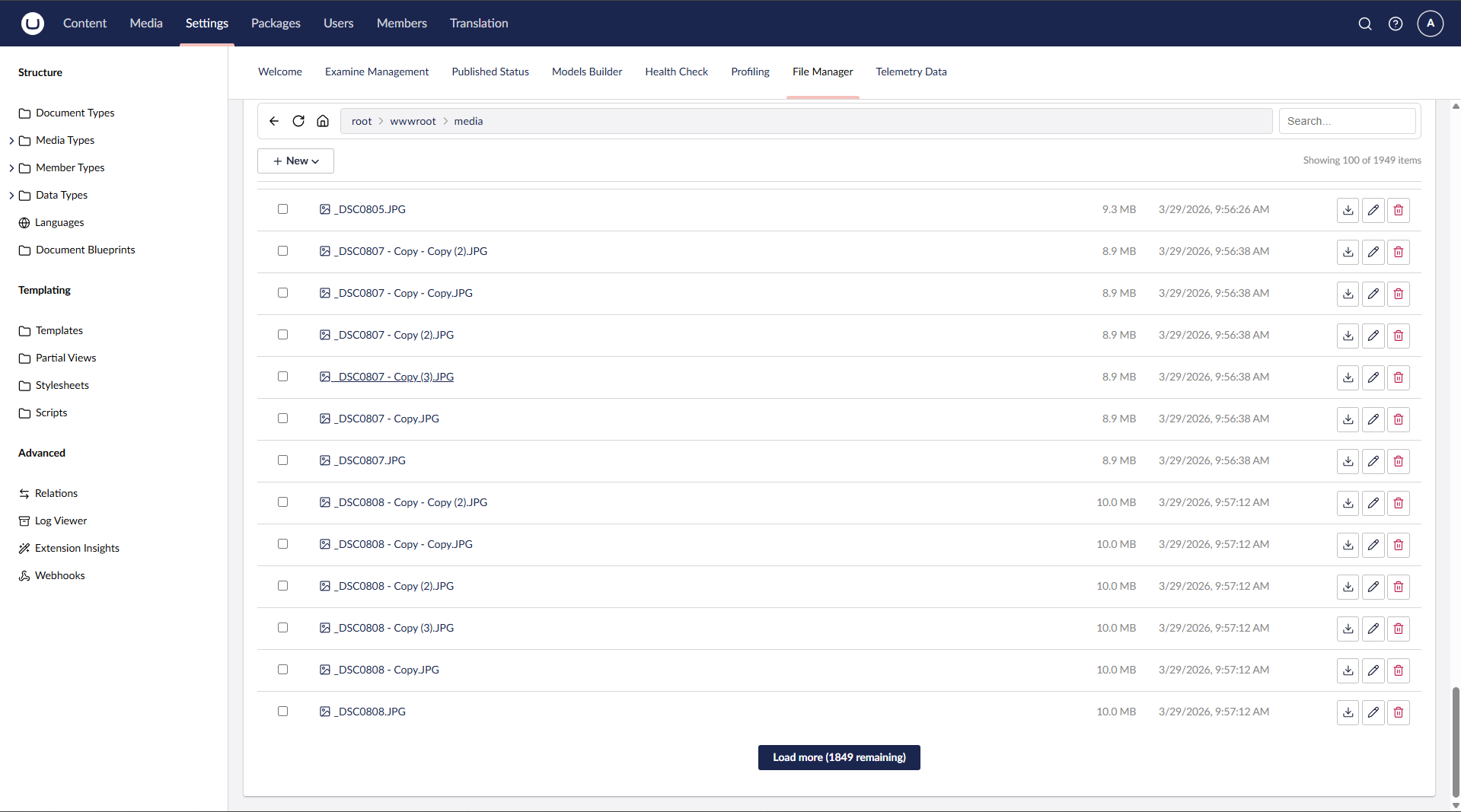
Paginated loading — handles 2000+ files without UI lag
Create new files, folders, or import from URL
Non-admin users are restricted to wwwroot only
Sensitive Data role — read-only access to edit and view all files
Development
git clone https://github.com/T4VN/uTPro.Feature.FileManager.git
cd uTPro.Feature.FileManager
dotnet run --project src/uTPro.Feature.FileManager.TestSite
Navigate to https://localhost:54740/umbraco, log in, go to Settings → File Manager.
Project Structure
src/uTPro.Feature.FileManager/
├── Controllers/
│   └── FileManagerApiController.cs    # API endpoints with role-based access
├── Services/
│   ├── IFileManagerService.cs         # Service interface
│   ├── FileManagerService.cs          # File operations implementation
│   └── FileManagerComposer.cs         # DI registration
├── Models/
│   ├── FileItemViewModel.cs           # File/folder view model
│   ├── Requests.cs                    # API request DTOs
│   └── Results.cs                     # API response DTOs
└── wwwroot/
    ├── index.js                       # Main Lit Element dashboard view
    ├── footer.js                      # Workspace footer app (New/Save/Actions/bulk + item count)
    ├── context.js                     # Shared workspace context bridging view ↔ footer
    ├── helpers.js                     # Constants, utilities, icon mapping
    ├── styles.js                      # CSS styles
    └── umbraco-package.json           # Umbraco package manifest
License
MIT
Author
T4VN — GitHub
| Product | Versions Compatible and additional computed target framework versions. |
|---|---|
| .NET | net9.0 is compatible. net9.0-android was computed. net9.0-browser was computed. net9.0-ios was computed. net9.0-maccatalyst was computed. net9.0-macos was computed. net9.0-tvos was computed. net9.0-windows was computed. net10.0 is compatible. net10.0-android was computed. net10.0-browser was computed. net10.0-ios was computed. net10.0-maccatalyst was computed. net10.0-macos was computed. net10.0-tvos was computed. net10.0-windows was computed. |
-
net10.0
- Umbraco.Cms.Api.Management (>= 17.0.0 && < 19.0.0)
-
net9.0
- Umbraco.Cms.Api.Management (>= 16.0.0 && < 17.0.0)
NuGet packages
This package is not used by any NuGet packages.
GitHub repositories
This package is not used by any popular GitHub repositories.
v2.0.0: Support for Umbraco 16, 17 and 18 (multi-target net9.0/net10.0). Hardened path-traversal root check and upload filename sanitization. No breaking API changes.